A roadworthiness test, servicing, tyre change or client visit — each affects vehicle availability. The Kilometrówka VAT calendar brings them together so you can agree who will use each vehicle and when.
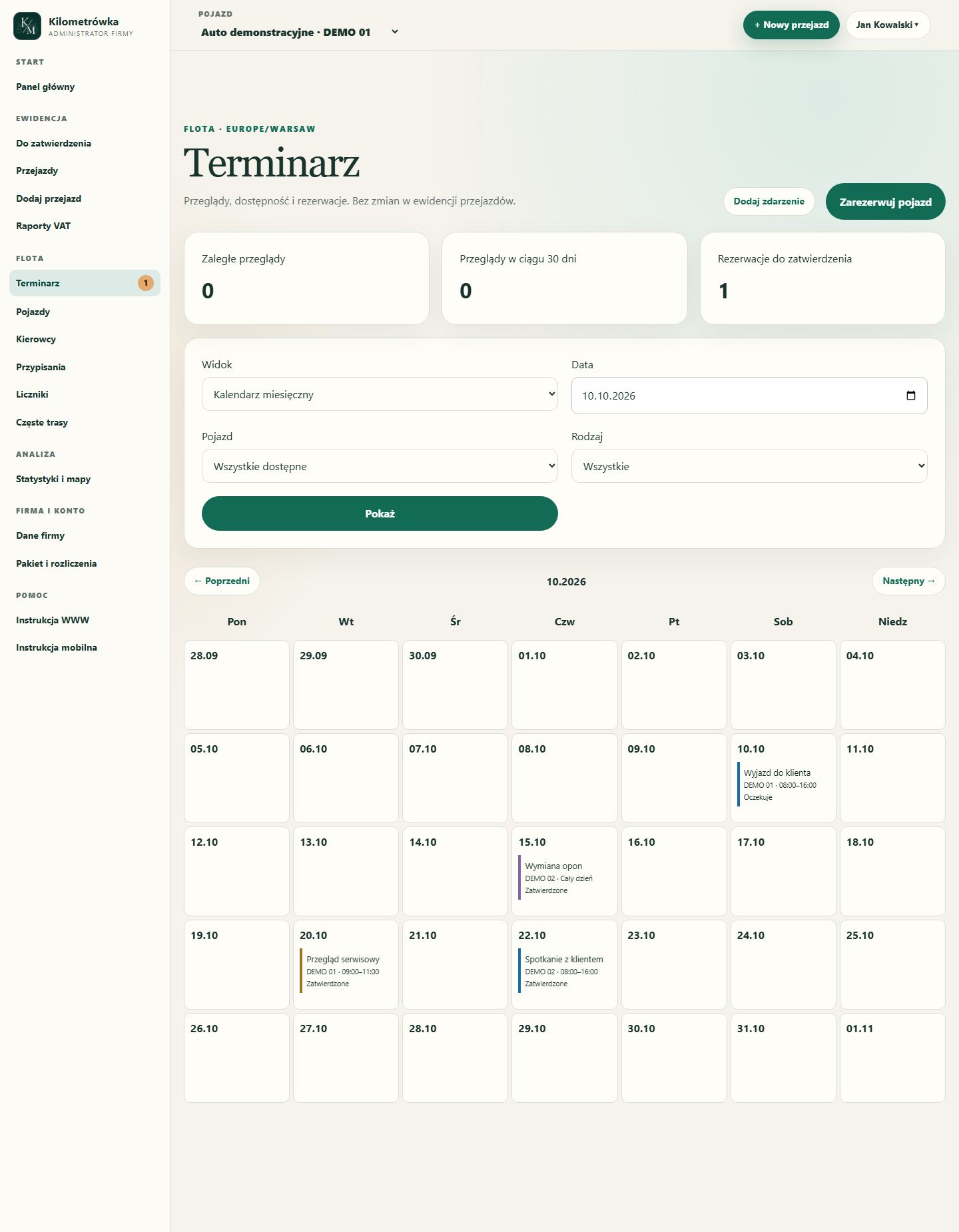
The illustration shows the Calendar with sample data. Vehicle names, registration numbers and events are for demonstration purposes.
Where can you find the Calendar?
After signing in to the web portal, open Fleet → Calendar. Switch between a monthly calendar, a weekly calendar and the event and history list. Filters narrow the view to a vehicle, event type and date.
The Calendar is currently available on the website. Manage bookings and dates in your browser.
Keep inspections under control
An administrator can set a vehicle's roadworthiness test, warranty inspection or service due date. For inspections, you can specify a date, an odometer limit or both. If you enter both, whichever limit is reached first applies.
For example, a vehicle is due for servicing by 20 October or at 60,000 km. If it reaches that mileage first, the system indicates that the limit has been reached even if the date is still several days away. It uses the approved odometer reading in the service for this assessment.
In Inspections — dates and limits, select Set or change vehicle due dates, expand the relevant vehicle and enter the details. Enable a warranty inspection only if it applies to that vehicle.
A booked appointment and an expiry date are different things. Entering a workshop visit does not extend a roadworthiness test's validity. Once the inspection is completed, confirm completion and enter the next date or mileage limit.
Drivers can request a vehicle booking
A driver with access to the driver portal can book an assigned vehicle. The request goes to the company administrator with the status Pending.
- Click Book a vehicle.
- Choose the vehicle and enter a booking name or purpose.
- Set the start and end and, if needed, the location and notes.
- Click Submit for approval.
The administrator reviews the request under Pending requests and can approve or reject it. The system checks availability so approved bookings that block a vehicle do not overlap. One booking may end exactly when the next begins.
If a driver changes an approved request, it requires approval again. Changing the vehicle requires cancelling the previous request and creating a new one. Drivers see when assigned vehicles are unavailable, but not other people's booking details, such as the purpose or notes.
Tyre changes, repairs and other events
Add event lets the administrator enter a tyre change, repair or another event. You can specify the workshop, the person responsible and additional notes.
If the vehicle will not be available during the visit, select Vehicle unavailable. The entry is then included in booking-conflict checks. An approved vehicle booking always blocks its availability.
All-day events without selecting times
If the vehicle will spend the whole day at a workshop, select All day. The form switches to date-only fields. Deselect it to restore time fields.
The end is exclusive: it marks when the vehicle becomes available again. For an event covering all of 15 October, choose 15 October as the start and 16 October as the end. For two full days, 15 and 16 October, the end is 17 October.
Reminders in the portal and by email
For an event, you can choose reminders 30 days, 7 days or one day in advance, as well as on the day itself. The Calendar supports portal and email notifications.
For inspections, the system also flags an overdue date or reached mileage limit. Approve trips and odometer readings regularly so mileage reminders use up-to-date data.
What about mileage records?
A booking describes planned vehicle use. It does not create a trip, change the odometer or appear in the mileage report. Record and approve the actual trip separately, as before.
Start by entering your vehicles' inspection due dates, then add upcoming workshop visits and let drivers submit booking requests. Vehicle availability and due dates can then be managed in one place.